Saturday, 6 October 2012

Linking CSS or JavaScrip with JSP

Linking CSS or JavaScrip with JSP

Linking StyleSheet CSS file

<link href="<s:url value="/css/style.css"/>" rel="stylesheet" type="text/css" />
{/css/style.css- this is path for css file}

 <link rel="stylesheet" type="text/css" href="styles.css">    

Linking Java Script file:

<script language="JavaScript" type="text/javascript" src="js/myFile.js"></script>

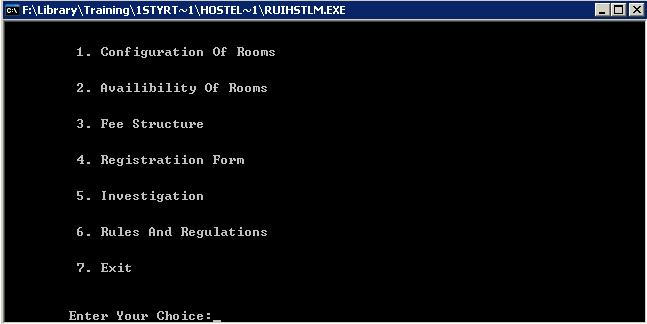
Hostel Management System

Hostel Management System

Tech:
C++
File Handling
Abstract:
Hostel Management with features like Configuring,Room Booking, Registeration e.t.c

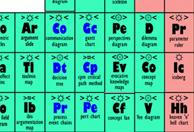
Periodic Table Tutor

Periodic Table Tutor

Tech:
C++
Graphics Enabled
Abstract:
View and easy to Learn Periodic Table with quiz on elements and graphical representation.

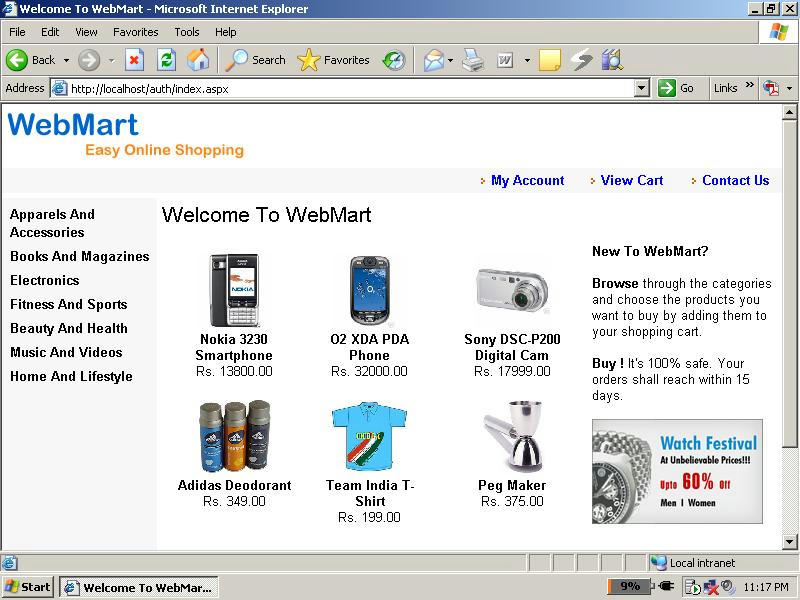
Web Mart E-Shopping Website Project

Web Mart E-Shopping Website Project

Tech:
C# .Net
Web App
VS 2008
Sql Server 2005


Abstract:
Online Shopping Project Web based.


Link: http://www.mediafire.com/?dw6yc042pps1f3c

Online Exam Project

Online Exam Project

Tech:
C# .Net
Win App
VS 2008
Sql Server 2005


Abstract:
Online Examination Project with timer feature.

Link: http://www.mediafire.com/?23j1kul8ixq45ec

Executing Query from Java

Executing Query from Java


Before this you need to connect to database, refer to this post
Connection conn = null;
try{
         DbConnectionProvider dbConnectionProvider = new DbConnectionProvider();
         conn = dbConnectionProvider.connect();
         Statement stmt=conn.createStatement();
         String query = "SELECT NAME, AGE FROM DETAILS_TABLE";
                ResultSet rs = stmt.executeQuery(query);
                while (rs.next()){
                      System.out.println(rs.getString(1));
}}

how to connect java to oracle database

Connect Java to Oracle Database


package com.action.dbConnection;
import java.sql.Connection;
import java.sql.DriverManager;
import java.sql.SQLException;
public class DbConnectionProvider {
      String serverName = "119.45.2.23";
      String sid = "xyz";     // String sid given by Oracle
      String username = "uid";
      String password = "pwd";
      String driverName = "oracle.jdbc.driver.OracleDriver";
      String portNumber = "2008";
      Connection connection = null;
     
      public Connection connect() {
            try {
System.out.println("Inside class DbConnectionProvider, Method connect()");
                  // Load the JDBC driver
                   Class.forName(driverName);
                  // Create a connection to the database
String url = "jdbc:oracle:thin:@" + serverName + ":" + portNumber + ":" + sid;
connection = DriverManager.getConnection(url, username, password);
            } catch (ClassNotFoundException e) {
                // Could not find the database driver
                  System.out.println("Could not find the database driver");
                  e.printStackTrace();
            } catch (SQLException e) {
                // Could not connect to the database
                  System.out.println("Could not connect to the database");
            } finally {
                 
            }
            return connection;
      }